for - id
HTML attribute 'for' 사용하면 동일한 이름의 'id'에 적용된 속성을 공유할 수 있다.
<label for="file"> Add Photo <input id="file" type="file" >
label 태그 속 Add photo가 input 태그 속성을 이용할 수 있다.
for와 id값만 동일하면 위치 상관없이 사용할 수 있다.
(input 태그는 css 적용하기가 힘들기 때문에 label로 감싸서 css 적용하는 경우가 있다.)
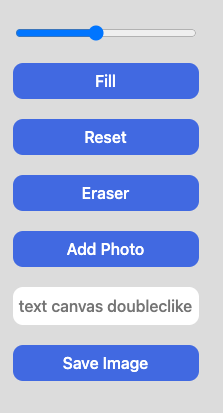 |
Add Photo 는 버튼처럼 보이지만 <input> 태그이다. <label for="file"> Add Photo <input type="file" accept="image/*" id="file" /> </label> |
완성
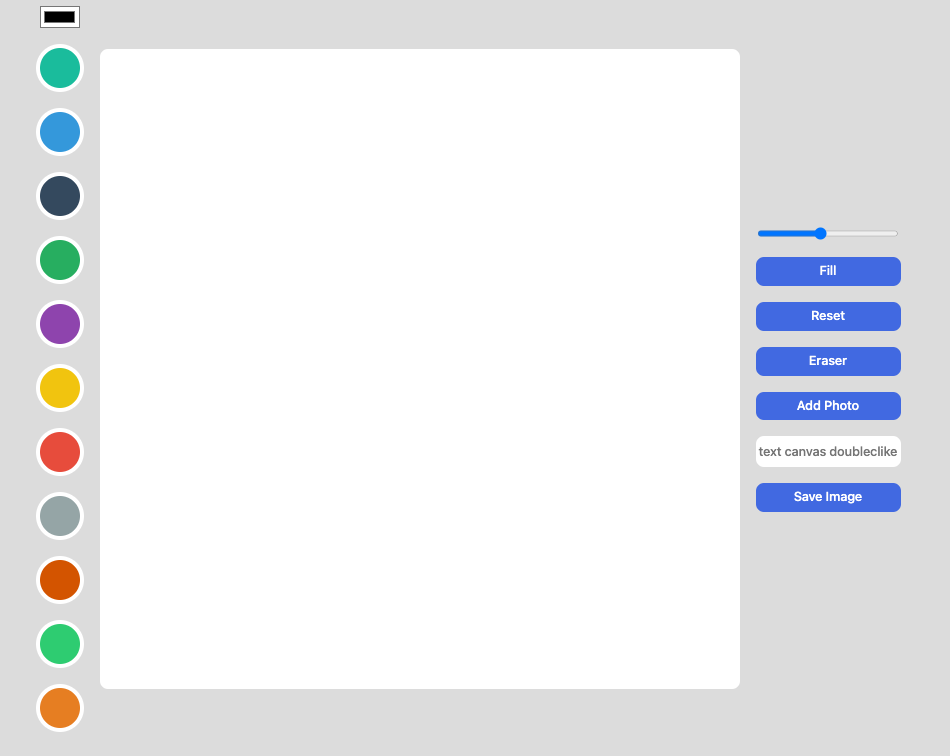
css 코드
더보기
@import "reset.css";

body{
    display: flex;
    gap:20px;
    justify-content: space-between;
    align-items: flex-start;
    background-color: gainsboro;
    padding: 20px;
    font-family: system-ui, -apple-system, BlinkMacSystemFont, 'Segoe UI', Roboto, Oxygen, Ubuntu, Cantarell, 'Open Sans', 'Helvetica Neue', sans-serif;
}

.btns{
    display: flex;
    flex-direction:column;
    gap: 20px;

}
canvas {
    width:  800px;
    height: 800px;
    background-color: white;
    border-radius: 10px;
}

body {
    display: flex;
    justify-content: center;
    align-items: center;
}

.color-options {
    display: flex;
    flex-direction: column;
    gap: 20px;
    align-items: center;
}
.color-option {
    width: 50px;
    height: 50px;
    border-radius: 50%;
    cursor: pointer;
    border:5px solid white;
    transition: transform ease-in-out .1s;
}

.color-option:hover{
    transform: scale(1.2);
}

input#line_Color {
    background-color: white;
}

button,
label {
    all:unset;
    padding: 10px 0;
    text-align: center;
    background-color: royalblue;
    color: white;
    border-radius: 10px;
    cursor: pointer;
    font-weight: 500;
    transition: opacity linear .1s;
}

button:hover {
    opacity: 0.85;
}

input#file {
    display: none;
}

input#text {
    all:unset;
    padding: 10px 0;
    border-radius: 10px;
    font-weight: 500;
    text-align: center;
    background-color: white;
}
반응형
'프론트엔드 > javascript' 카테고리의 다른 글
| 배열을 문자열로, 문자열을 배열로 바꾸기 (0) | 2025.09.16 |
|---|---|
| javascript (16) - 캔버스만들기 #6 (기능추가) (0) | 2023.05.05 |
| javascript (16) - 캔버스 만들기 #4 (TEXT, SAVE ) (0) | 2023.05.04 |
| javascript (16) - 캔버스 만들기 #4 (색채우기, 이미지업로드) (0) | 2023.05.04 |
| javascript (16) - 캔버스 만들기 #4 (선 두께,모양, 색상팔레트) (0) | 2023.05.02 |


